SPF, DKIM, and DMARC Setup for Cold Email: Step-by-Step for Outbound Teams
August 7, 2025 · 4 min read · by Ahmet Faruk Yilmaz, Founder of Asphia
TL;DR
Set SPF to authorize your sending IPs, add DKIM to cryptographically sign each message, then publish a DMARC policy starting at p=none to monitor alignment. All three records live in your domain's DNS. Missing or misaligned records may increase rejection or spam-placement risk, depending on the provider and sending pattern.
Skipping email authentication can create avoidable outbound risk. SPF, DKIM, and DMARC help receiving mail servers assess sending identity and alignment; missing or misaligned records may increase rejection or spam-placement risk, depending on the provider and sending pattern.
Here is how to set up all three correctly for cold email outbound.
Why Authentication Matters More Than Ever
Google and Microsoft both published sender requirements that went into effect in 2024. Any domain sending more than a few thousand messages per day must pass SPF and DKIM alignment and publish a DMARC policy. Even below that threshold, the same signals feed deliverability scoring across all major providers.
Cold email lives and dies by inbox placement. A technically clean sending infrastructure is the floor, not a differentiator. If you are working with a done-for-you cold email partner or building your own outbound engine, authentication must be confirmed before sequences go live.
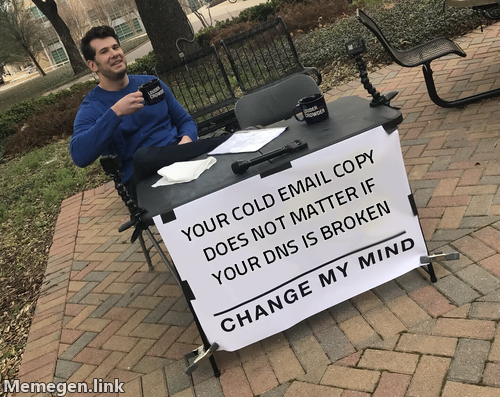 Fix the DNS first. Then worry about the copy.
Setting Up SPF
SPF (Sender Policy Framework) is a TXT record on your domain that lists the mail servers authorized to send on your behalf.
Basic structure:
v=spf1 include:_spf.google.com include:sendgrid.net ~allHow to build yours:
- Identify every service that sends email from your domain: your CRM, your cold email platform, Google Workspace or Microsoft 365, any transactional provider.
- Get the include value from each provider’s documentation.
- Add one TXT record at
@(root) or at your sending subdomain. - End with
~all(softfail) while testing, then tighten to-all(hard fail) once you are confident the list is complete.
Keep the SPF record under ten DNS lookups. If you have many sending services, use SPF flattening tools to merge IPs into a single include.
Setting Up DKIM
DKIM (DomainKeys Identified Mail) works by adding a cryptographic signature to outgoing messages. The receiver checks the signature against a public key published in your DNS.
Each sending platform generates its own DKIM key pair. You publish the public key; the platform signs messages with the private key.
Steps:
- In your email sending platform (Instantly, Smartlead, Google Workspace, etc.), navigate to domain authentication or DKIM settings.
- Copy the CNAME or TXT record the platform generates. It will look something like:
google._domainkey.yourdomain.compointing to a long public key string. - Add that record to your DNS exactly as shown, including the selector prefix (
google._domainkey,s1._domainkey, etc.). - Return to the platform and click “Verify.” Most platforms will confirm the key is live within a few minutes of DNS propagation.
If you run multiple sending domains (which you should for any serious outbound program), each domain needs its own DKIM record configured per sending provider.
Setting Up DMARC
DMARC (Domain-based Message Authentication, Reporting, and Conformance) ties SPF and DKIM together and tells receivers what to do when a message fails both checks.
Minimum valid record:
v=DMARC1; p=none; rua=mailto:dmarc-reports@yourdomain.comAdd this as a TXT record at _dmarc.yourdomain.com.
Policy progression for outbound teams:
p=none: monitoring only. No messages are blocked. You receive aggregate reports at the rua address.p=quarantine: failing messages go to spam. Move here after your reports show clean alignment for several weeks.p=reject: failing messages are dropped entirely. The strongest protection for your domain reputation.
The rua tag should point to a real mailbox or a DMARC reporting service. Parse the XML reports (or use a tool that does it for you) to catch any sending sources you missed in your SPF record.
The Sending Subdomain Strategy
Most teams running AI cold email at volume route outbound through dedicated subdomains: mail.yourdomain.com, outbound.yourdomain.com, or secondary domains purchased specifically for campaigns.
Each subdomain needs its own SPF, DKIM, and DMARC configuration. The benefit: if a domain accumulates spam complaints or a high bounce rate, you rotate it out without touching your root domain’s reputation. GDPR-compliant outbound programs also use separate domains to enforce data handling boundaries by region or campaign type.
For reference on sender requirements, Google’s guidelines for bulk senders are published at support.google.com.
Verifying Everything Before You Send
After configuring all three records, run this checklist:
- Send a test email to a tool like MXToolbox Email Health or mail-tester.com.
- Check the raw headers of a received message and confirm
Authentication-Resultsshows SPF=pass, DKIM=pass, DMARC=pass. - In your sending platform, look for a “Domain Health” or “Sending Authentication” status page. Most modern platforms surface this clearly.
- Wait at least 24 hours and check your DMARC aggregate report for any unexpected failures.
Authentication is not a one-time setup. When you add a new sending platform, update your SPF. When you rotate DKIM keys (which your provider may do automatically), verify the new record is live. Audit your configuration every time you change infrastructure.
If you are building this for the first time or inheriting a broken setup, done-with-you outbound programs typically include a technical audit of your sending infrastructure as part of the onboarding, so you start clean.
Request the signal tier list.
A practical view of how we rank observable signals before outreach. We review each request for fit and may reply by email; delivery is not automatic.
By submitting, you agree to processing described in our Privacy Policy.
Your request was submitted. If it is a fit, we may follow up by email.
One more step: send the prepared request to faruk@asphia.consulting
FAQ
Do I need SPF, DKIM, and DMARC for cold email?
Authentication requirements depend on the provider, recipient and sending pattern. Missing or misaligned records may increase rejection or spam-placement risk; check current provider requirements and measured results before sending at volume. Configure SPF, DKIM and DMARC deliberately rather than treating any single record as a guarantee.
What is the difference between SPF and DKIM?
SPF tells receiving servers which IP addresses are allowed to send on behalf of your domain. DKIM adds a cryptographic signature to each message header so the receiver can verify the email was not tampered with in transit. They solve different problems and you need both.
What DMARC policy should I start with for cold email?
Start with p=none and a rua reporting address so you can see what is passing and what is failing without blocking any mail. After two to four weeks of clean reports, move to p=quarantine, then p=reject once you are confident all legitimate sending sources are covered.
Can I send cold email from my main domain?
Most outbound teams use sending subdomains or secondary domains to separate some operational risk from the root domain. If a cold campaign triggers spam complaints or bounces at scale, a secondary domain may absorb part of the impact; it does not guarantee protection for your primary domain. Keep monitoring authentication, complaints, bounces, and provider feedback.
How long does DNS propagation take after I add these records?
Most DNS changes propagate globally within one to four hours, though the official TTL can run up to 48 hours. Set your record TTL to 3600 seconds (one hour) when making changes so you can iterate faster. Always verify with an external DNS lookup tool before sending.
How do I check if my SPF, DKIM, and DMARC are set up correctly?
Send a test message to a tool like MXToolbox or mail-tester.com and review the authentication headers. Look for SPF=pass, DKIM=pass, and DMARC=pass in the received headers. Most email platforms also show authentication status in their sending diagnostics.

Ahmet Faruk Yilmaz
Founder of Asphia. He builds and runs signal-based B2B outbound engines for lean teams, and writes about cold email, Clay, deliverability, and GTM engineering.
Want this run for you?
Explore our B2B outbound and GTM engineering services, then request the planning framework to scope your next campaign.
Request the planning framework →