New Domain Email Warmup Checklist: Deliverability Steps Before Day One
June 14, 2026 · 5 min read · by Ahmet Faruk Yilmaz, Founder of Asphia
TL;DR
Before sending a single cold email on a new domain, set up SPF, DKIM, and DMARC, plan a gradual warmup sequence, and verify inbox-placement signals with a seed test. Skipping a control can increase reputation risk; no checklist guarantees placement or avoids blacklisting.
Warming up a new domain is not optional. Spam filters evaluate domain age, sending history, bounce rates, and authentication records before deciding where your email lands. Get the checklist right and your first campaign starts with a clean slate. Get it wrong and you may be blacklisted before a single prospect reads your message.
Step 1: DNS Authentication Records (Non-Negotiable Before Anything Else)
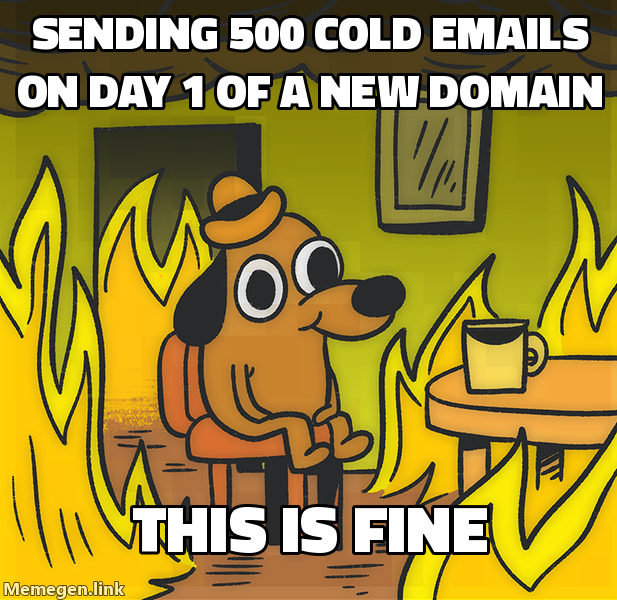 No warmup, no SPF, no DKIM. What could go wrong.
Set these three records in your domain registrar before you send one email:
SPF. A TXT record that lists the mail servers authorized to send on your domain’s behalf. Example: v=spf1 include:_spf.google.com ~all. Use ~all (softfail) rather than -all (hardfail) during warmup to avoid bouncing legitimate test emails.
DKIM. A public/private key pair. Your sending platform generates the private key and signs outgoing messages. You publish the public key as a TXT record. Google Workspace, Microsoft 365, and most cold email platforms generate DKIM keys inside their settings panels.
DMARC. A policy record that tells receiving servers what to do when SPF or DKIM fails. Start with p=none (monitor only) so you receive reports without rejecting anything. After 2 to 3 weeks of clean data, move to p=quarantine.
Verify all three propagated correctly using MXToolbox or a similar checker before moving to step two.
Step 2: Infrastructure Choices That Protect You Long-Term
A few decisions made at setup time save significant pain later:
Use a redirect domain, not your main company domain. Register something like reply-asphia.com that forwards to asphia.com. If that sending domain ends up on a blacklist, your transactional email and website reputation stay untouched.
Pick a business email provider (Google Workspace or Microsoft 365), not a shared host or cheap SMTP relay. Major providers have better IP reputations and are more likely to be whitelisted by corporate mail servers.
Set a custom tracking domain in your cold email platform so click-tracking links show your domain, not the platform’s shared subdomain. Shared tracking domains are frequently flagged.
For guidance on how done-for-you cold email operations handle domain infrastructure at scale, the setup logic carries over directly to your own stack.
Step 3: The Warmup Sequence (Weeks 1 through 4)
Warmup tools (Mailreach, Warmbox, Instantly Warmup, and others) send automated emails between a network of real inboxes and mark them as not spam. This builds your domain and IP reputation gradually.
A conservative schedule:
| Week | Daily Sends | Notes |
|---|---|---|
| 1 | 10 to 15 | Warmup tool only, zero cold outreach |
| 2 | 20 to 30 | Warmup tool continues, seed test at end of week |
| 3 | 35 to 50 | Can begin cold outreach at very low volume |
| 4 | 50 to 70 | Scale cold sends if seed tests show 85 percent or better inbox |
Keep warmup running at 30 to 40 emails per day even after you start real campaigns. It maintains a baseline of positive engagement signals.
Step 4: Deliverability Checks Before You Go Live
Before sending to real prospects, run these checks:
Seed test. Use GlockApps or Mail-Tester to send to a panel of real inboxes at Gmail, Outlook, and Yahoo. The report shows what percentage lands in inbox versus spam. You want 85 percent or higher before starting outreach.
Spam score check. Mail-Tester scores your email content and headers out of 10. Fix anything below 8. Common culprits: missing unsubscribe links, image-heavy formatting, URL shorteners, and trigger words in subject lines.
Blacklist check. Run your sending domain and IP through MXToolbox Blacklist Check. A fresh domain should be clean. If it appears on any list, contact the list operator to request removal before warmup begins.
Bounce rate baseline. Your list must be verified before the first send. A bounce rate above 3 to 5 percent on a new domain can trigger immediate suppression. Use a verification tool to remove invalid addresses. For context on how AI cold email systems manage verification upstream, the principle is the same: clean list first, send second.
Step 5: Content and Volume Rules for the First Campaign
Even a warmed domain can be flagged by bad sending behavior. A few hard rules for week three and beyond:
Keep initial send volume under 50 emails per day per mailbox. Spread sends across the full business day rather than blasting in one batch. Most sending platforms have throttling settings for this.
Write plain-text-first emails. HTML-heavy templates with multiple images and tracked links look like marketing blasts to filters. Cold outreach performs better as a simple text exchange anyway.
Personalize at the subject line and first line. Identical emails sent at volume are a spam signal. Even light personalization (first name, company, one specific signal) meaningfully reduces complaint rates.
Monitor your sending domain’s Google Postmaster Tools dashboard. It shows domain reputation, spam rate, and authentication pass rate directly from Gmail’s perspective. Set it up on day one.
For teams that want to skip the setup overhead entirely, an outbound engine builder approach handles domain provisioning, warmup sequencing, and monitoring as part of standing up the full system.
The checklist is not complicated, but each step depends on the one before it. DNS authentication before warmup. Warmup before real sends. Deliverability verification before you touch a real prospect list. Following the sequence is what separates campaigns that land in inbox from ones that never get seen.
Request the signal tier list.
A practical view of how we rank observable signals before outreach. We review each request for fit and may reply by email; delivery is not automatic.
By submitting, you agree to processing described in our Privacy Policy.
Your request was submitted. If it is a fit, we may follow up by email.
One more step: send the prepared request to faruk@asphia.consulting
FAQ
How long does it take to warm up a new email domain?
A conservative warmup may take 3 to 6 weeks. Start with a low volume and adjust from observed signals; figures such as 10 to 20 emails per day are planning references, not a safe threshold. Rushing the ramp can increase spam and reputation risk, but outcomes vary by provider and setup.
What DNS records do I need before warming up a new domain?
You need three records before sending a single email: SPF (a TXT record authorizing your sending server), DKIM (a cryptographic key your mail client signs outgoing messages with), and DMARC (a policy telling receivers what to do with unauthenticated mail). All three must be verified and propagated first.
Can I use my main company domain for cold email outreach?
A dedicated sending domain can separate some infrastructure, but it does not guarantee that a blacklist or reputation issue will leave your core domain and transactional email unaffected. Map DNS, routing and reputation dependencies, then review the setup before sending.
What is a good open rate to aim for during warmup?
During warmup you can observe positive engagement, replies, opens and seed placement, but controlled warmup rates are not comparable to real campaigns. Treat any figure, including 85 percent seed placement, as a test observation rather than a safe scaling threshold; review provider-specific risk before increasing volume.
Does domain age matter for deliverability?
Domain age alone does not establish reputation or inbox placement. A newly registered domain has little sending history, but purchasing an older domain is not a substitute for authentication, list quality, gradual ramping, complaint monitoring, and provider-specific review.
How many emails per day can I send after a full warmup?
There is no universal post-warmup volume that is sustainable or safe. Set a conservative starting point from provider and sending-tool guidance, then adjust using observed placement, bounces, complaints, and replies for each domain and audience. More mailboxes or domains do not remove the need for those checks.

Ahmet Faruk Yilmaz
Founder of Asphia. He builds and runs signal-based B2B outbound engines for lean teams, and writes about cold email, Clay, deliverability, and GTM engineering.
Want this run for you?
Explore our B2B outbound and GTM engineering services, then request the planning framework to scope your next campaign.
Request the planning framework →