How Many Domains Do You Need for Cold Email Outbound in 2026?
August 10, 2025 · 5 min read · by Ahmet Faruk Yilmaz, Founder of Asphia
TL;DR
For a B2B outbound planning exercise, model one sending domain per 2-3 mailboxes and test a conservative starting volume such as 40-50 emails per mailbox per day. These are planning assumptions, not safe limits or outcome guarantees. Keep your primary domain off the sending rotation unless your own review supports another choice.
The quick planning model: one sending domain per 2-3 mailboxes and a conservative starting volume such as 40-50 emails per mailbox per day. If you model 500 daily sends, that example uses roughly 10-12 mailboxes across 4-5 dedicated domains; it is not a safety limit or guarantee.
That is the floor. The right number for your program depends on volume, warmup age, bounce tolerance, and how aggressively you are splitting audiences. Here is how to think through it.
Why You Need Multiple Domains at All
Email providers (Google, Microsoft, and the major ISPs) score sender reputation at the domain level. Every hard bounce, spam report, or low-engagement pattern chips away at the reputation of the sending domain. Once a domain’s reputation drops below a certain threshold, your emails start routing to spam across the board, and recovery takes weeks.
Distributing your sending across several domains may limit the direct impact of a reputation problem on one domain. You can pause that domain, but shared infrastructure, lists, providers, or complaint patterns can still affect other parts of the program; monitor each stream independently.
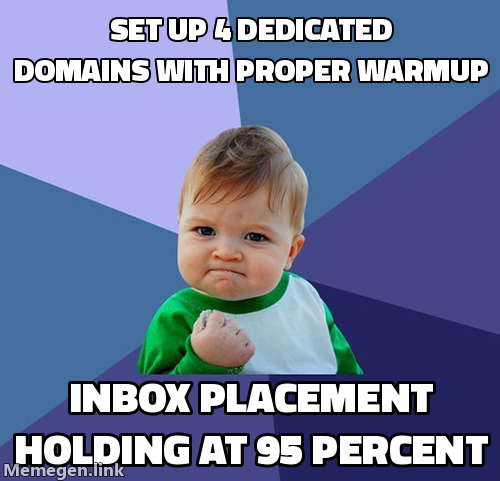 Infrastructure can support deliverability work; it does not guarantee inbox placement.
This is the same logic that applies to mailbox limits. Sending 200 emails per day from a single mailbox on a three-month-old domain is the fastest way to get that domain flagged. Spreading the same 200 sends across five mailboxes on two or three domains gives each mailbox a light, sustainable load.
The Math Behind the Numbers
A practical B2B cold email infrastructure in 2026 looks like this:
- 40-50 emails per mailbox per day as an illustrative starting assumption, not a hard ceiling or target
- 2-3 mailboxes per sending domain
- One dedicated domain kept as a backup or rotation spare
So if you need 300 emails per day in steady state:
- 300 / 45 (average per mailbox) = about 7 mailboxes
- 7 mailboxes / 2.5 (average per domain) = about 3 domains
Add a fourth domain if you want a spare in rotation or if you plan to scale within the quarter.
For agencies or founders running sequences across multiple ICPs or geographies, the number grows. A done-for-you cold email program covering three markets at real volume can comfortably run 10-15 sending domains, each contributing a clean slice of daily capacity.
Warmup: The Step That Determines Your Real Timeline
New domains cannot send volume on day one. Skipping warmup is the single most common reason cold email programs underperform.
A realistic warmup schedule:
- Week 1-2: 5-15 emails per day, mostly warmup tool traffic (inbox-to-inbox exchanges that build engagement signals)
- Week 3-4: ramp to 25-30 per day, mix in a small number of real prospect emails
- Week 5 onward: consider testing higher volume only if your own placement, bounce and complaint signals support it
Modern tools like Smartlead, Instantly, and Lemlist include automated warmup pools. They help, but they do not compress the timeline. Plan your domain provisioning 4-6 weeks ahead of your target launch date.
If you are working with an AI cold email setup built for deliverability, the warmup schedule is built into the onboarding flow. Rushing it is still a mistake.
DMARC, SPF, and DKIM: Non-Negotiable
Every sending domain needs three DNS records configured correctly before a single email goes out:
- SPF: tells receiving servers which IPs are allowed to send on behalf of your domain
- DKIM: cryptographically signs outgoing messages so receivers can verify authenticity
- DMARC: instructs receivers what to do with mail that fails SPF or DKIM, and gives you a reporting mechanism
Since February 2024, Google and Yahoo have enforced these requirements for bulk senders. Microsoft followed. If these records are missing or misconfigured, your emails either get rejected outright or sorted to spam without appeal. There is no workaround.
Google’s sender guidelines are publicly documented and worth reading before you provision your first domain.
Domain Naming and Regional Considerations
Sending domains should look credible but should not impersonate your brand too aggressively. Common patterns include variations of your company name (getcompanyname.com, companyname-hq.com, trycompanyname.com) or descriptive names tied to your service.
If you run multilingual or multi-region outbound, consider region-specific domains. A cold email program targeting the Netherlands sends more convincingly from a .nl or at least a domain that fits the regional context. The same principle applies to German-language sequences via outbound programs in the DACH market.
GDPR adds one more layer: your sending domains and the lists attached to them need to fit within a legitimate interest or equivalent legal basis. This is not just a compliance checkbox. It affects how you structure your opt-out handling, your suppression lists, and your documentation. A GDPR-compliant cold email setup addresses this at the infrastructure level, not as an afterthought.
When to Add More Domains
Your infrastructure is showing strain when:
- Bounce rates on any single domain climb above 2-3%
- Spam placement rates increase (visible in Google Postmaster Tools or seed testing)
- Reply rates drop without a clear copy or targeting explanation
- You want to test a new audience segment without risking existing reputation
Adding a domain is cheap. Recovering a burned domain is expensive in time and lost pipeline. The right move is always to provision new sending capacity before you need it, not after.
If you are building this out from scratch or want a system your team owns permanently, a done-with-you outbound build covers infrastructure setup including domain provisioning, warmup, DNS configuration, and the sending sequences on top.
Request the signal tier list.
A practical view of how we rank observable signals before outreach. We review each request for fit and may reply by email; delivery is not automatic.
By submitting, you agree to processing described in our Privacy Policy.
Your request was submitted. If it is a fit, we may follow up by email.
One more step: send the prepared request to faruk@asphia.consulting
FAQ
How many domains do you need for cold email outbound?
A common planning model is one domain per 2-3 mailboxes. If you model 500 emails a day at 40-50 per mailbox, that example uses roughly 10-12 mailboxes across 4-5 dedicated sending domains. It is not a safe-volume rule; validate your own data and review before scaling.
Can I send cold email from my main domain?
You can, but it is a serious risk. If a sending domain gets flagged or lands on a blocklist, recovery is painful. If your primary domain gets flagged, your transactional email, sales replies, and internal mail all suffer. Use dedicated sending domains and keep your main domain clean.
How long should I warm up a new cold email domain?
Expect a minimum of 3-4 weeks of warmup before you send any real prospects. Start at 5-10 emails per day and increase gradually. Most modern sending tools include automated warmup, but you still need to respect the timeline before pushing volume.
How many emails per day can I send per mailbox safely?
40-50 emails per day can be a conservative starting assumption for a relatively new mailbox, not a provider-approved safety limit. Technical limits are different from deliverability tolerance; review bounce, complaint, placement and reply signals before changing volume.
What is the difference between domains and mailboxes in cold email infrastructure?
A domain is the part after the @ sign (yoursendingdomain.com). A mailbox is a specific email address on that domain (firstname@yoursendingdomain.com). One domain can host multiple mailboxes. For deliverability, separate domains may limit the blast radius if one is flagged, but shared infrastructure, list, or provider dependencies can still affect other sending.
Do I need separate domains for different target markets or languages?
Not strictly required, but it is a good practice if you run campaigns in multiple languages or regions. A German-language campaign sending from a .com domain with an American-sounding name looks off. Country-code domains (yourbrand.de, yourbrand.nl) improve authenticity and can lift reply rates on regionally focused sequences.

Ahmet Faruk Yilmaz
Founder of Asphia. He builds and runs signal-based B2B outbound engines for lean teams, and writes about cold email, Clay, deliverability, and GTM engineering.
Want this run for you?
Explore our B2B outbound and GTM engineering services, then request the planning framework to scope your next campaign.
Request the planning framework →