Clay alternatives in 2026: when Clay is overkill (and what to use instead)
June 15, 2026 · 6 min read · by Ahmet Faruk Yilmaz, Founder of Asphia
TL;DR
Clay is worth it when you run waterfall enrichment and custom data logic at scale. If you just need emails, ICP lists, or a simple sequenced campaign, cheaper single-purpose tools beat it on cost and setup time.
Clay is a capable enrichment tool for B2B workflows. It may be more infrastructure than a small team needs when the job is limited to list sourcing or email verification. We use Clay daily for some client workflows and compare narrower tools when their simpler scope fits the task.
This is the decision we walk through with every lead who says, “We need Clay.” Usually, they do not. Here is how to tell.
What Clay is actually for
Clay is an orchestration layer with little data of its own. It connects 100+ providers so you can find a person, run three email finders in sequence, scrape the company site, process the result with an AI prompt, score it, and push it to your sequencer. The chain is the product. Our Clay enrichment service builds and maintains these waterfall tables for teams that want the output without operating the platform.
Clay earns its price when you need:
- Waterfall enrichment across multiple providers (try provider A, fall back to B, then C)
- Custom data logic that no single tool ships (intent + tech stack + headcount delta in one row)
- AI research at scale (read each company site, extract a hook, write a first line)
- A repeatable table you rebuild weekly for a real GTM motion
If your job does not match that list, you bought a Ferrari for a trip to the corner shop.
The credit-cost reality
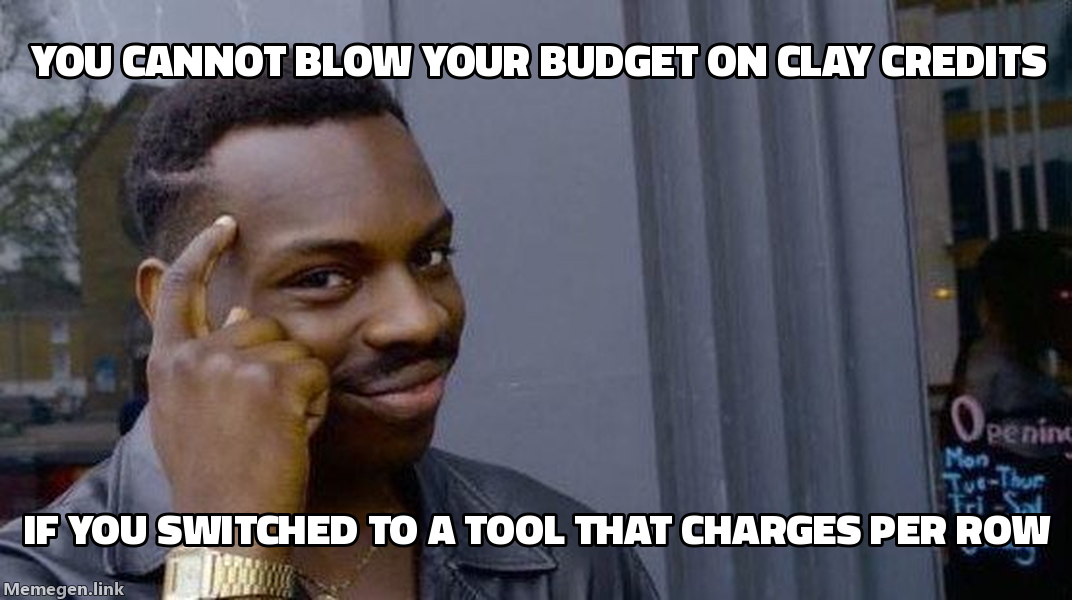 A fully enriched Clay record can consume several credits. Per-row tools at least make the math honest.
Clay’s pricing uses data credits for enrichment data and actions for work run on the platform. Plans and allowances change, so check Clay’s current pricing page before setting a budget.
The trap is the per-record math. One enrichment does not equal one credit. Finding an email costs a few credits. A full profile costs more. A waterfall across several providers costs more again. The credit allowance therefore does not map directly to the number of records you can process.
Run the math against your volume before you buy. We have seen teams exhaust a mid-tier plan within days, then pay a premium for top-ups. If you need a few hundred verified emails a month and no custom logic, a cheaper single-purpose tool can handle the job.
When Clay is overkill: four signals
You probably do not need Clay if any of these are true.
- You only need verified work emails. That is a single-provider job, not an orchestration job.
- Your “enrichment” is one field: title, company size, or LinkedIn URL. Apollo already has it.
- You send a modest volume from one or two ICPs. Compare setup and maintenance cost with the workflow value; volume alone does not prove that the overhead will or will not pay back.
- Nobody on the team will maintain the tables. Clay rewards an operator. Without one it rots.
Clay’s hidden cost is build time. A good table takes hours to design, and someone who knows the platform must maintain it. Without that person, the tool creates an operator role you did not plan to hire.
What to use instead
Match the tool to the job. These are the alternatives we use at Asphia.
| Job to be done | Use this instead of Clay | Why |
|---|---|---|
| Verified work emails only | Findymail, Prospeo, or LeadMagic | Cents per verified email, no credit math |
| ICP list + basic firmographics | Apollo | Data source and finder in one, ships filters and sequencing |
| Catch bounces before send | ZeroBounce or a built-in verifier | Protects domain reputation, not an enrichment task |
| LinkedIn outreach at scale | Heyreach or GetSales | Multi-account sending, not data orchestration |
| Send and sequence email | Smartlead or Instantly | Inbox rotation and warmup, the part Clay never did |
| Custom multi-provider logic | Keep Clay (or build local scripts) | This is the one job Clay is built for |
The lean stack that covers most teams
For most B2B teams in 2026, the no-Clay stack is three boxes:
- Data source: Apollo lead list service for lists and firmographics.
- Verifier: a dedicated email verifier so you do not torch your domain.
- Sender: Smartlead or Instantly for email, Heyreach or GetSales for LinkedIn.
That covers the path from list to reply for a fraction of Clay’s cost. Clay starts adding value when you need logic these tools cannot express on their own.
When you outgrow the lean stack
You have reached the Clay use case when the same manual steps keep returning: run two finders in sequence, scrape the site for a hook, then score against three signals. That repetition is the buy signal. “Everyone uses it” and “it looks powerful” are not. The Clay vs Apollo comparison shows where each tool wins at different list sizes.
At that point you have two options: Clay or local scripts. We build local Python pipelines for high-volume clients because the per-record cost drops close to zero and we retain control of the logic. Choose Clay for speed and a visual builder. Choose local scripts for direct cost control. The deciding factor is available engineering time.
Clay vs the alternatives: the honest trade-off
Clay is quick to start, but its cost rises heavily with volume. Single-purpose tools cost less per record and handle simple jobs faster, though you must connect them yourself. Local scripts offer the lowest cost and most flexibility at volume, but someone has to write and maintain the code.
There is no universal winner. Teams often buy the most powerful tool to cover every possible need, then use 10% of it while paying the full price.
A quick gut check before you buy Clay:
- Will you run the same enrichment recipe every week? If no, skip Clay.
- Does the recipe need 2+ providers chained? If no, skip Clay.
- Do you have someone to own and maintain the tables? If no, skip Clay.
Three yeses justify Clay. Otherwise, a narrower tool costs less and gets the first campaign live sooner.
How we decide for clients
When a client asks us to set up enrichment, we start with the campaign. How many contacts and ICPs are involved? How custom is the personalization? Who maintains the system after launch? Those answers determine the stack.
GDPR-native sourcing only changes the provider choice. The structure stays the same: source, verify, send. We use this model across TR, EN, NL, DE, and AR campaigns. Compare total cost, enrichment logic and maintenance capacity for each client; do not assume a cheaper stack or a particular tool mix will perform better. Choose Clay when the workflow genuinely needs multi-provider logic at volume.
Buy the tool that fits the job in front of you, not the one that fits the job you imagine having later.
Clay earns its cost for waterfall enrichment and custom logic at scale. For everything else, define the job before buying the tool.
Request the signal tier list.
A practical view of how we rank observable signals before outreach. We review each request for fit and may reply by email; delivery is not automatic.
By submitting, you agree to processing described in our Privacy Policy.
Your request was submitted. If it is a fit, we may follow up by email.
One more step: send the prepared request to faruk@asphia.consulting
FAQ
Is Clay worth it in 2026?
Yes, if you run waterfall enrichment, custom scoring, or AI research at volume. No, if you only need verified emails or a basic ICP list. For simple needs, Apollo or a verifier costs a fraction.
What is the cheapest Clay alternative for just finding emails?
A dedicated email-finder like Findymail or Prospeo plus a verifier costs cents per record, versus 3 or more Clay credits per email lookup.
Do I need Clay to run cold outreach?
No. You need a data source, a verifier, and a sender. Clay is an orchestration layer on top of those. At lower volumes a simpler stack may be enough, but compare setup, maintenance, coverage, and workflow value rather than using 5,000 emails as a universal cutoff.
What is the best Clay alternative for small B2B teams?
Apollo for ICP lists and firmographics, a dedicated verifier like Findymail or ZeroBounce, and Smartlead or Instantly for sending can cover a simpler path from list to reply. Compare current plan pricing and the maintenance work for your volume; even a small stack still needs an owner for data quality, verification and sending controls.
Can you do waterfall email enrichment without Clay?
Yes, but it requires scripting or a managed enrichment service. Apollo, Prospeo, and LeadMagic each have direct APIs. You can chain them in a script: try the first provider, fall back to the next if no result. Asphia builds these waterfall tables as a managed service for teams that need the logic without the Clay bill.
How many emails can you enrich per month on Clay's cheapest plan?
Clay's Launch plan gives 2,500 Data Credits at roughly 3 credits per email lookup. That is around 800 emails per month if enrichment is all you do. Add in site scraping or AI prompts and that number drops to 200 to 400. Run this math against your volume before buying.

Ahmet Faruk Yilmaz
Founder of Asphia. He builds and runs signal-based B2B outbound engines for lean teams, and writes about cold email, Clay, deliverability, and GTM engineering.
Want this run for you?
Explore our B2B outbound and GTM engineering services, then request the planning framework to scope your next campaign.
Request the planning framework →